PC Gameplay
PC gameplay is the hands-on experience of playing a video game on a personal computer, including performance, controls, stability, and security considerations.
Purpose: This page helps you evaluate PC gameplay quality and safety, so you can make informed decisions about settings, downloads, accounts, and purchases.
Quick Evaluation Checklist
- Confirm the game runs smoothly by checking frame time consistency, not only average FPS.
- Validate control responsiveness by testing sensitivity behavior, acceleration options, and aim smoothing settings (if present).
- Check stability by playing long enough to notice crashes, stutters, shader compilation hitches, or memory-related slowdowns.
- Review accessibility and readability, including UI scaling, subtitle options, and key rebinding support.
- Verify download and launcher safety, favoring official stores or verified publishers, and keep OS protections enabled where possible. (Microsoft Learn)
- Protect your game accounts with multi-factor authentication where supported, and treat recovery codes as sensitive. (help.steampowered.com)
- Reduce purchase risk by understanding confirmation flows and consumer refund pathways for unintended charges. (Federal Trade Commission)
Key Trust Signals at a Glance
| Signal | What to look for | Why it matters | Quick risk if missing |
|---|---|---|---|
| Patch cadence | Recent stability or performance updates | Live issues often improve with active support | Bugs can persist for long periods |
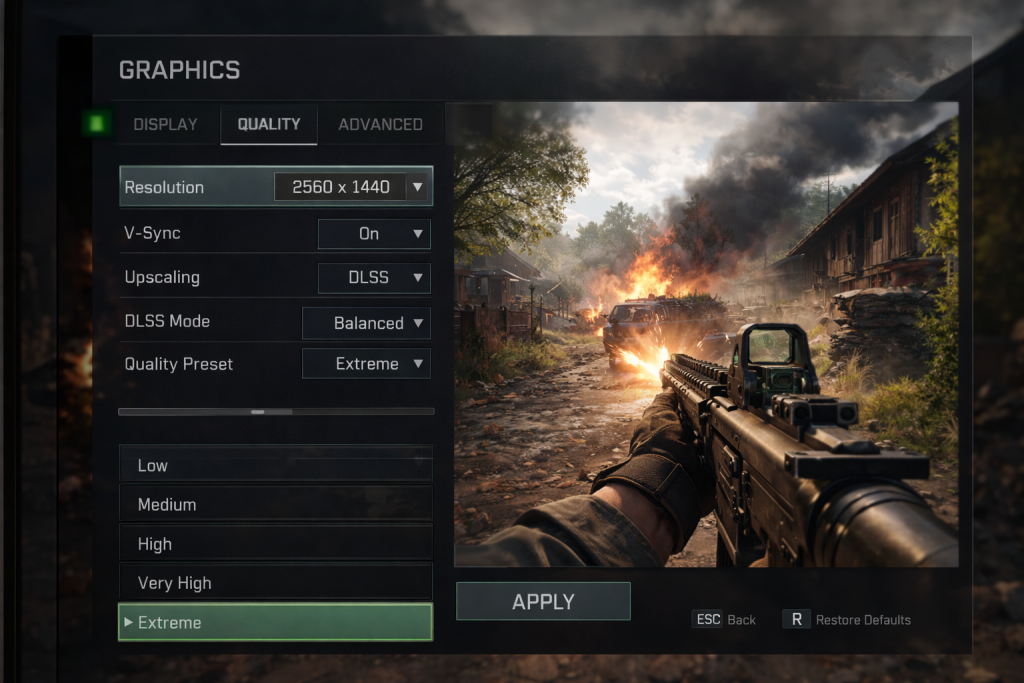
| Graphics options | Resolution, frame cap, upscaling, window modes | Lets you adapt to your hardware | Forced settings can cause stutter or poor clarity |
| Input customization | Rebinds, sensitivity, acceleration toggles | Improves control consistency | Controls may feel inconsistent |
| Crash transparency | Known issues list, crash reporting notes | Sets expectations for reliability | You troubleshoot blindly |
| Account security tools | MFA, login alerts, recovery support | Reduces takeover risk | Higher chance of account loss (help.steampowered.com) |
| Download reputation checks | OS warnings, signed installers, SmartScreen prompts | Helps reduce malware exposure | Greater chance of unsafe installs (Microsoft Learn) |
| Purchase protections | Clear confirmations, dispute handling | Reduces accidental spending | Increased risk of unwanted charges (Federal Trade Commission) |
Definition
PC gameplay is the end-to-end play experience on a computer, shaped by:
- Performance: frame rate, frame pacing, load times, and streaming behavior
- Controls: mouse and keyboard feel, controller support, input latency, remapping
- Presentation: resolution, UI scaling, and clarity options
- Reliability: crash frequency, stutter patterns, save integrity, update behavior
- Safety: account security, safe installs, and purchase confirmation design
Background
PC gameplay differs from fixed-hardware platforms because it is influenced by:
- Wide hardware variation (CPU, GPU, storage, RAM, drivers)
- Multiple distribution and launcher ecosystems
- Player-driven customization, including settings, mods, and peripherals
This flexibility can improve the experience, but it also adds evaluation steps for stability and security.
Types
Common PC gameplay contexts include:
- Single-player: performance and stability are primary concerns.
- Online multiplayer: adds matchmaking quality, server stability, and anti-cheat behavior.
- Co-op: emphasizes networking, party systems, and cross-play limitations (when applicable).
- Competitive PvP: prioritizes input consistency, visibility clarity, and predictable frame pacing.
How It Works
PC gameplay quality usually depends on how well these layers align:
- Game engine behavior: streaming, shader compilation, and CPU or GPU workload balance
- Graphics pipeline settings: resolution, upscaling, frame caps, sync methods
- Input stack: device polling, in-game filtering, and OS-level settings
- Network layer (online): latency, packet loss tolerance, server behavior
- System protections: features designed to reduce exposure to phishing and potentially malicious downloads (Microsoft Learn)
Legality
PC gameplay can intersect with legal and policy constraints, depending on what you do with software and accounts.
- Ownership vs license: most PC games are licensed to you under terms set by the publisher or platform.
- Mods and reverse engineering: legality varies by jurisdiction and method. In the US, DMCA Section 1201 is handled through a recurring rulemaking process with time-bounded exemptions. (U.S. Copyright Office)
- Circumvention tools and cheating: tools designed to bypass protections can raise legal and policy issues, and can also trigger bans under platform rules.
This section is informational only, not legal advice.
Security
PC gameplay security is mostly about preventing account loss and avoiding unsafe installs.
- Account protection: enable multi-factor authentication when available, and store recovery information securely. (help.steampowered.com)
- Download hygiene: use official stores or verified publishers, and pay attention to OS warnings intended to reduce exposure to malicious files and phishing. (Microsoft Learn)
- Purchase safety: unintended purchases can occur through confusing confirmation flows, and regulators have provided refund programs related to in-game purchase practices. (Federal Trade Commission)
Pros and Cons
Pros
- High configurability for performance and clarity (resolution, frame caps, input tuning)
- Wider peripheral support (mouse, keyboard, controllers, specialized devices)
- Customization options that can improve accessibility and comfort
Cons
- Hardware and driver variation can cause inconsistent stability between systems
- Higher security exposure if installs come from untrusted sources (Microsoft Learn)
- Account takeover and unwanted purchase risks increase when security and confirmation controls are weak (help.steampowered.com)
Uses
You can apply PC gameplay evaluation in several practical ways:
- Choosing settings that prioritize stable frame pacing over peak visuals
- Identifying whether a performance issue is CPU-bound, GPU-bound, or storage-related
- Deciding whether a title is suitable for competitive play based on input consistency
- Reducing risk by using account protection and cautious install practices (help.steampowered.com)
FAQ
What matters more for smooth PC gameplay, average FPS or frame time consistency?
Frame time consistency often predicts perceived smoothness better than average FPS, because uneven frame delivery feels like stutter.
Is it safe to install mods on PC?
It depends on source trust and what the mod does. Prefer reputable sources, avoid unknown executables, and keep OS protections enabled. (Microsoft Learn)
How do I reduce the risk of losing my PC game account?
Use multi-factor authentication where supported, avoid reused passwords, and store recovery codes securely. Platform guidance such as Steam account security recommendations provides a baseline. (help.steampowered.com)
Resources
- FTC, Fortnite refunds and settlement context (Federal Trade Commission)
- Microsoft Learn, Microsoft Defender SmartScreen overview (Microsoft Learn)
- Steam Support, account security recommendations (Steam Guard) (help.steampowered.com)
- U.S. Copyright Office, Section 1201 rulemaking proceedings (U.S. Copyright Office)
- EFF, reverse engineering FAQ and Section 1201 background (eff.org)




 English
  한국어
한국어  繁體中文
繁體中文